The opportunity
Marathon participation is growing. The 2025 London Marathon saw 56,640 runners finish, setting a world record at the time. Strava’s 2025 Year in Sport report also recorded a 3.5-fold increase in running clubs on its platform.
Runners track distance, pace and training. Tracking race-week fuel can be harder. How do you know whether you have eaten enough carbohydrate before race day?
Carb loading increases the glycogen stored in the muscles, helping delay fatigue during prolonged endurance exercise. HPRC’s carb-loading guidance explains its role in preparing for events lasting 90 minutes or more. Tracking intake makes progress towards a planned target visible, rather than leaving it to guesswork.
Carb-loading calculators provide a target. I focused on what comes next: turning that target into meals, snacks and drinks, then tracking intake throughout the day.
I designed carbs. to connect those tasks: plan your load, log what you eat and see what remains.
Plan your load
Track your day
Portion size visualisation
My role
I designed and built carbs., from product direction and visual design to onboarding, food logging and implementation.
I also designed how targets change, entries are saved, storage failures are handled and runners return to their plan.
The free beta gives runners a working product to try and helps me identify what to improve.
Brand & UI
The visual identity gives carbs. a clear, recognisable character: a bitten bagel shaped like a “C”, paired with the wordmark and its maroon full stop. Warm neutral backgrounds and rounded surfaces carry that character into the interface.
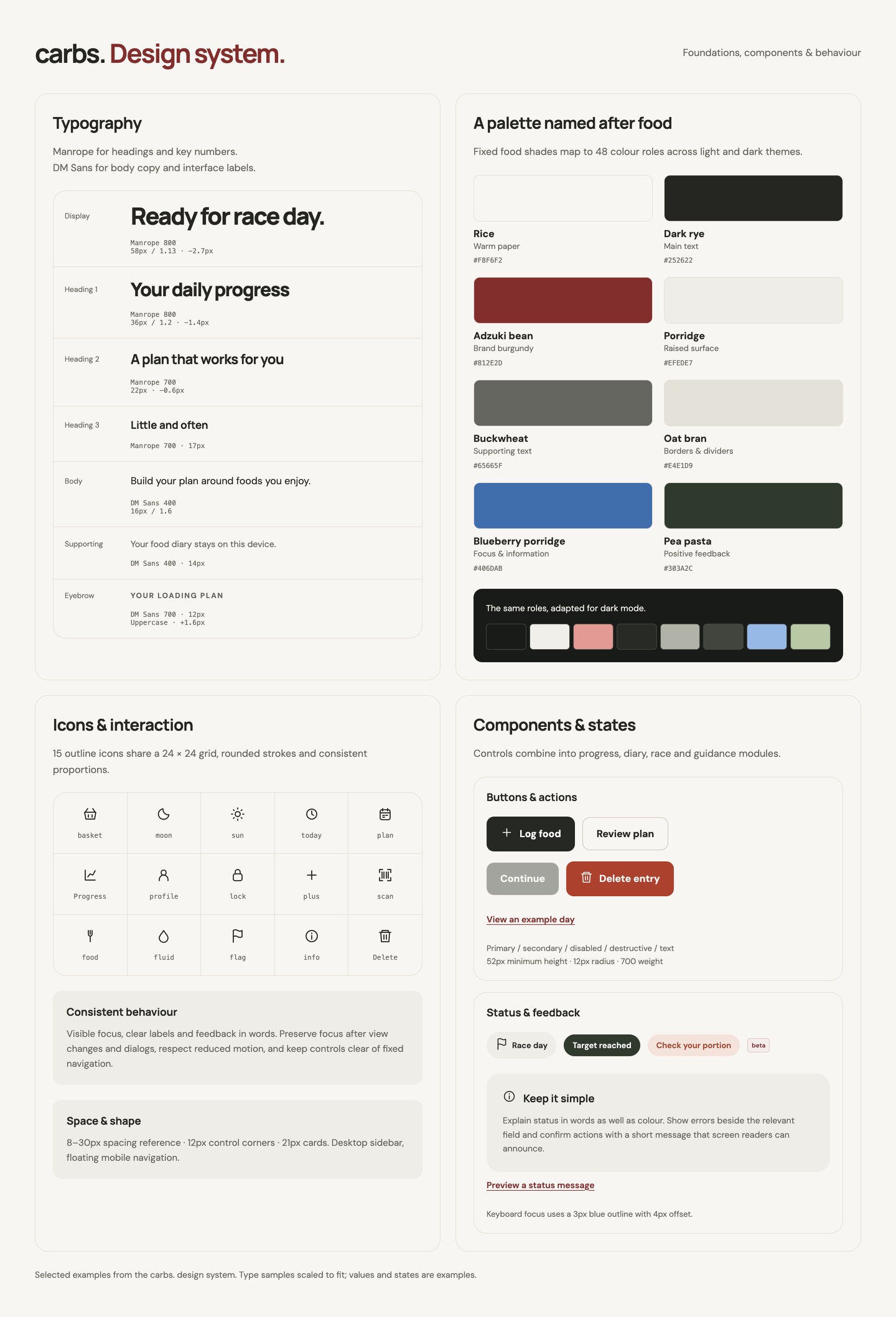
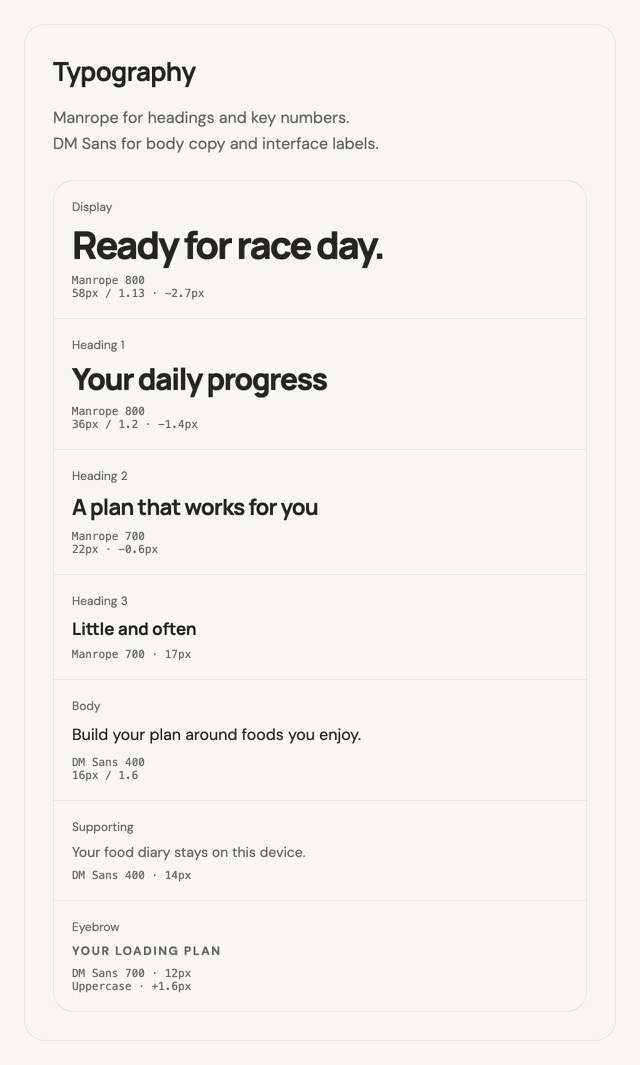
I brought the visual foundations and interaction patterns together in a working design system. It documents typography, colour, icons and reusable components, with interactive examples of states and behaviour.
Manrope emphasises headings and key numbers; DM Sans supports readable body copy and labels. The type scale distinguishes targets, diary entries and guidance.
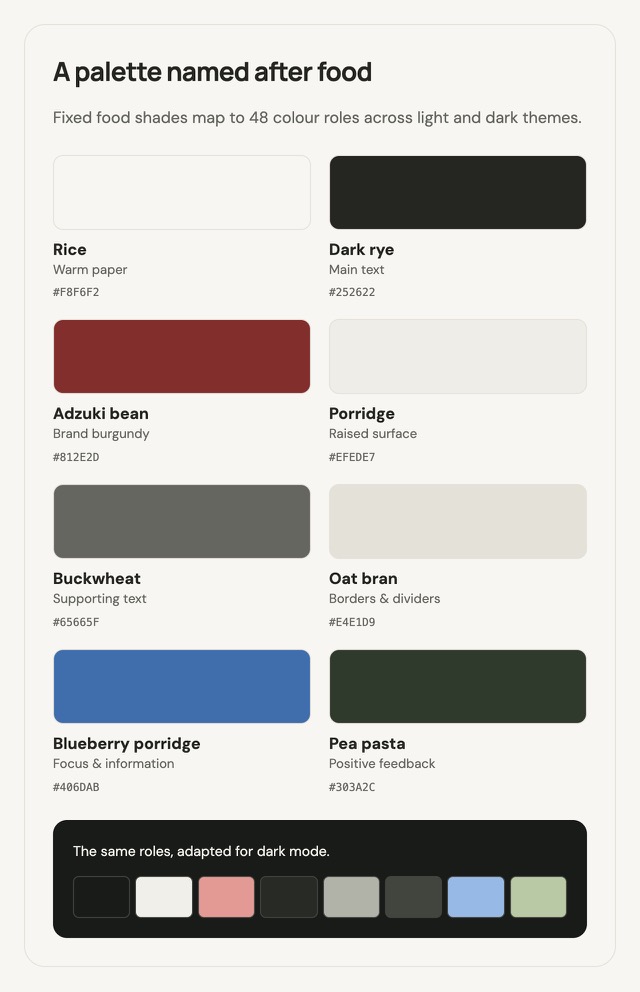
The food-inspired palette starts with beige carbs such as bread, rice and pasta. Shades including rice, dark rye and adzuki bean map to 48 colour roles across light and dark themes, keeping backgrounds, text and states consistent.
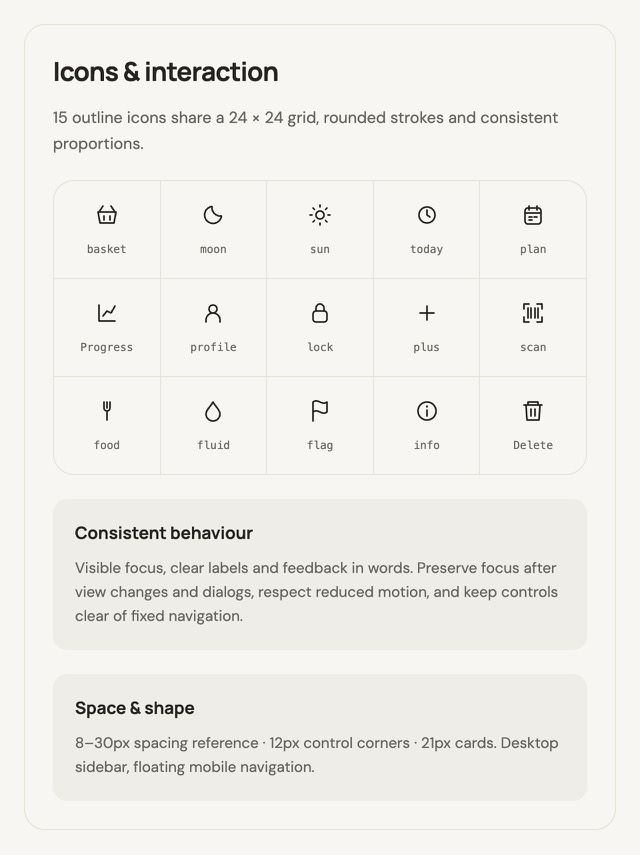
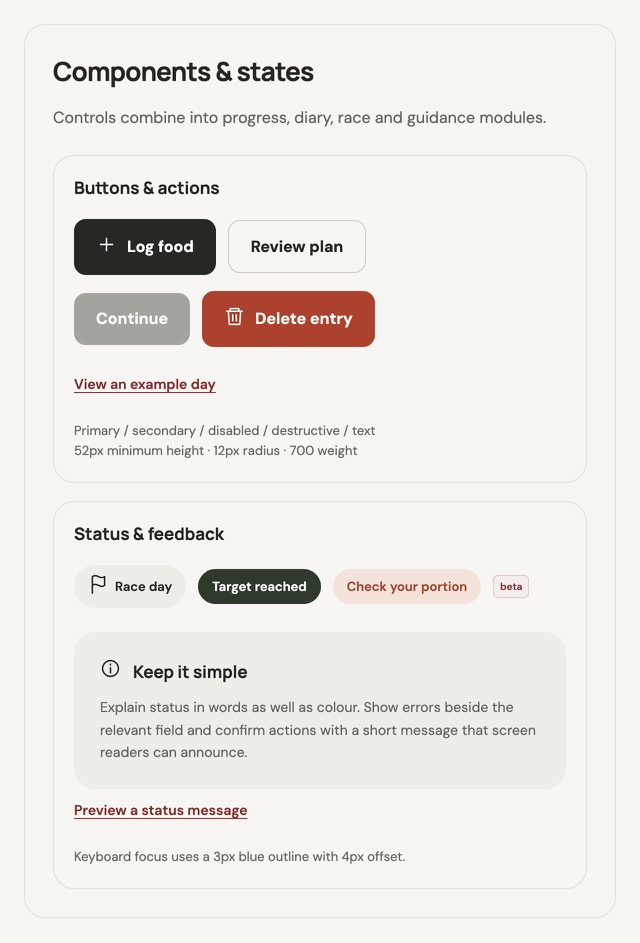
Fifteen outline icons share a consistent grid and stroke. Buttons, fields, tabs and choices include selected, disabled, error and feedback states. Spacing and rounded surfaces connect those controls to larger progress, diary, race and guidance modules.
Visible keyboard focus, clear labels, feedback in words, reduced motion and focus after navigation or dialogs are part of that guidance. Responsive rules carry the same patterns from a desktop sidebar to floating mobile navigation, helping new features feel like part of the same product.

Typography
Colour roles & themes
Icons & interaction
Components & states
A plan built around the race
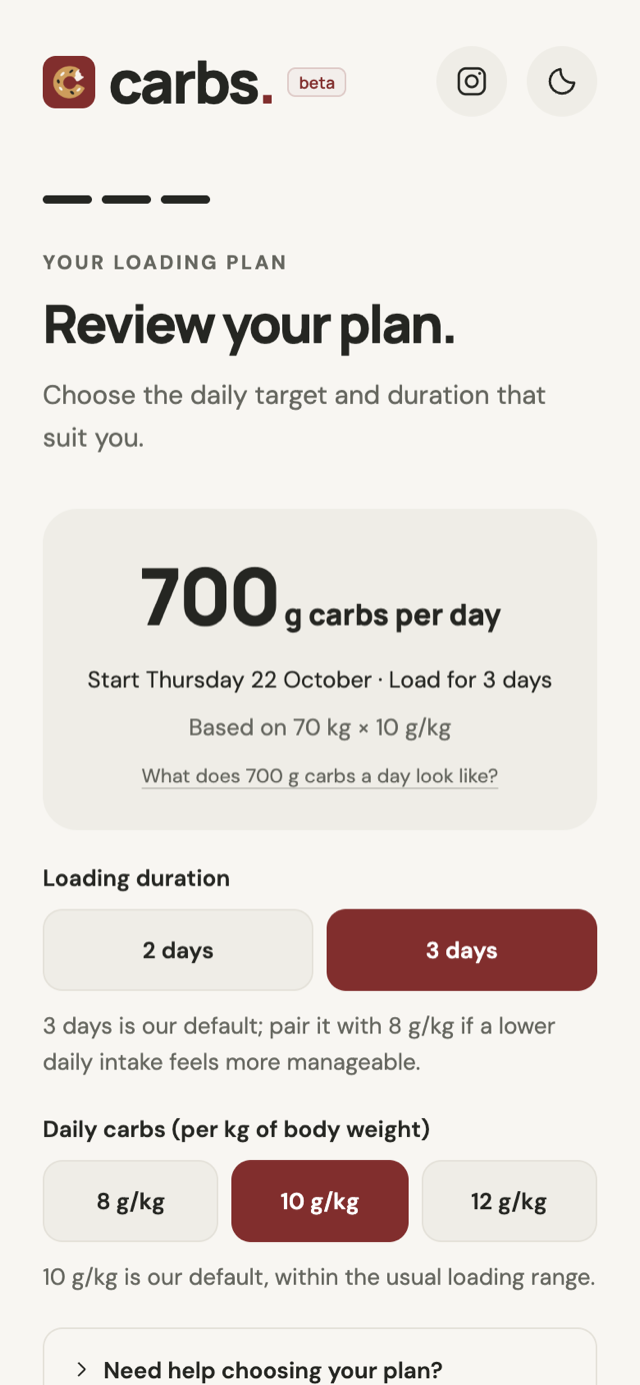
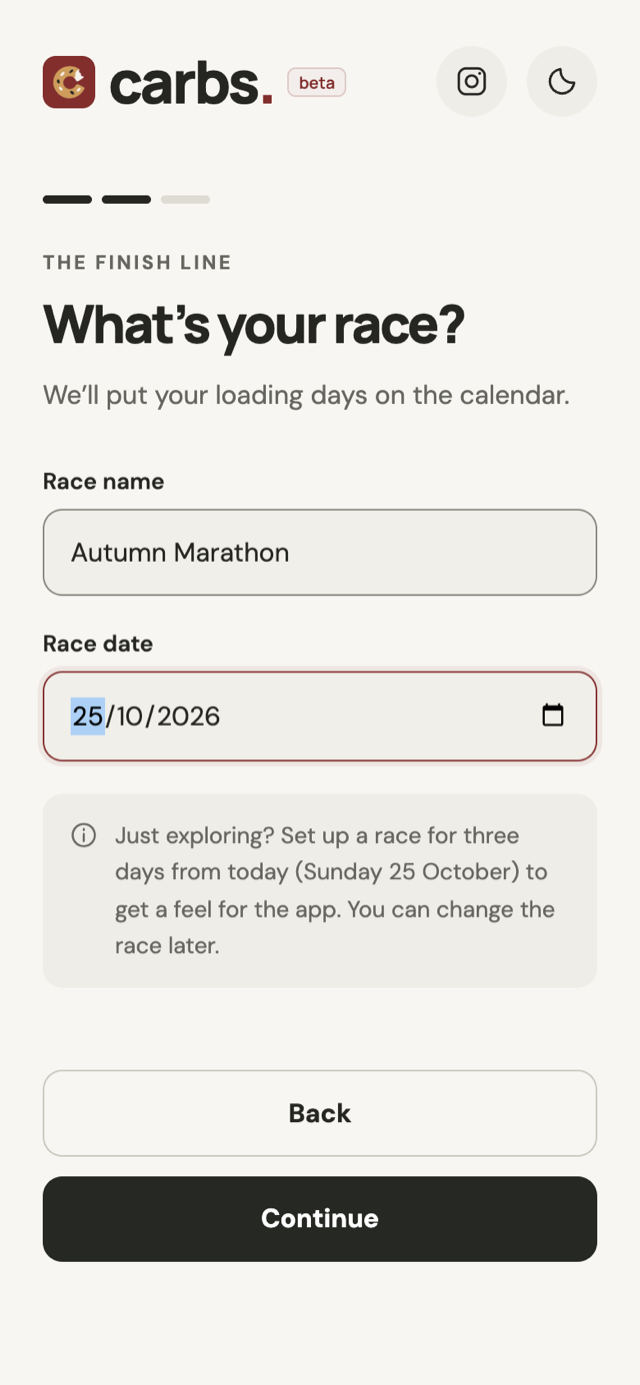
Onboarding has three steps: personal details, race details and plan review.
The app uses body weight and a selected loading rate to calculate a daily target. Weight entry supports kilograms, pounds, and stone with additional pounds.
Onboarding helps runners understand their loading duration and daily carbohydrate intake before committing to a plan. The review brings together a two- or three-day loading window and a choice of 8, 10 or 12 g/kg per day, translating the selected rate into a daily target in grams. Contextual guidance explains the choices, while an example day helps runners picture what that intake means in food and drinks. They can adjust their target later.
The profile only asks for information the plan uses, leaving out gender, predicted finish time and dietary preferences.
The race date also gives the experience a clear timeline. Before loading starts, Today shows a countdown. During the loading window, it becomes a diary with separate days. Race-day breakfast has its own target and context.
Race details
Review the plan
Turning the target into meals
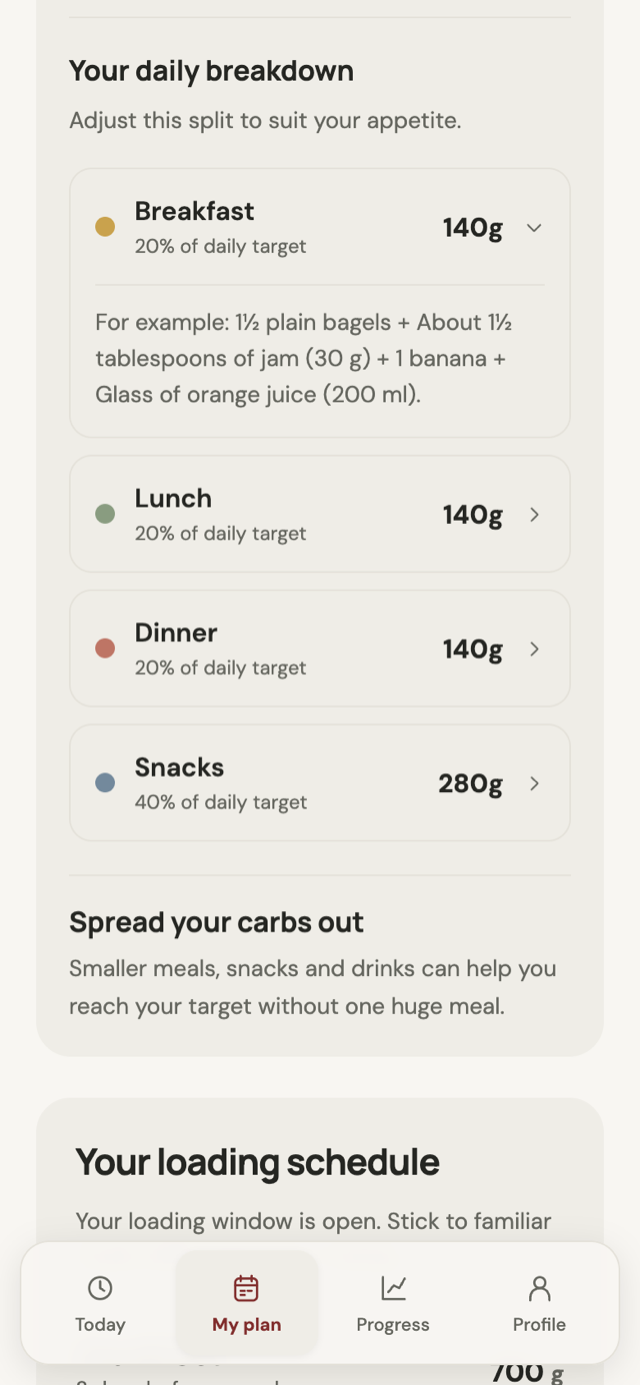
My Plan splits the daily target into suggested amounts for breakfast, lunch, dinner and snacks. Food examples scale with the plan, and runners can adapt the split to their appetite and routine.
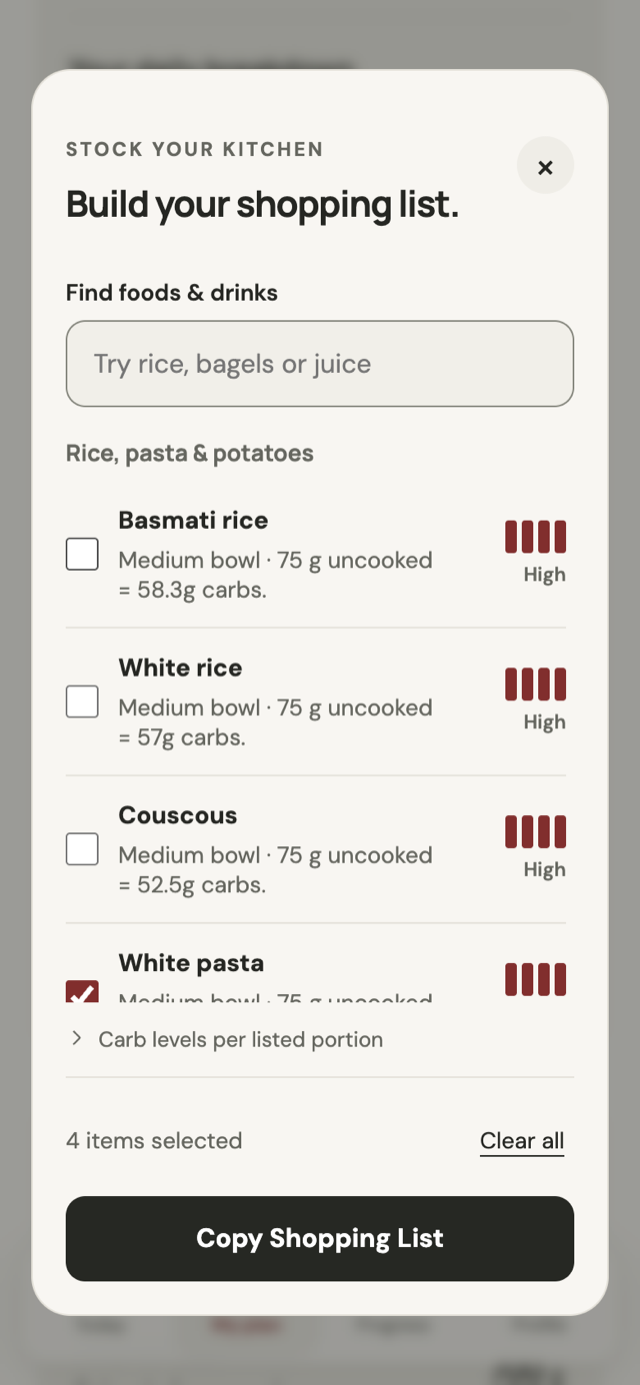
The shopping list connects preparation to those choices. Runners can browse or search foods, compare estimated carbohydrates per listed portion, save their selections and copy a grouped list to take shopping. Choosing an item does not add it to the diary.
Meal ideas now offer 80 recipes across breakfast, lunch, dinner and snacks. Suggestions follow the time of day and the runner’s daily target, prioritising ingredients on their shopping list. Everyday measures sit alongside weights and volumes, so a suggestion is easier to picture.
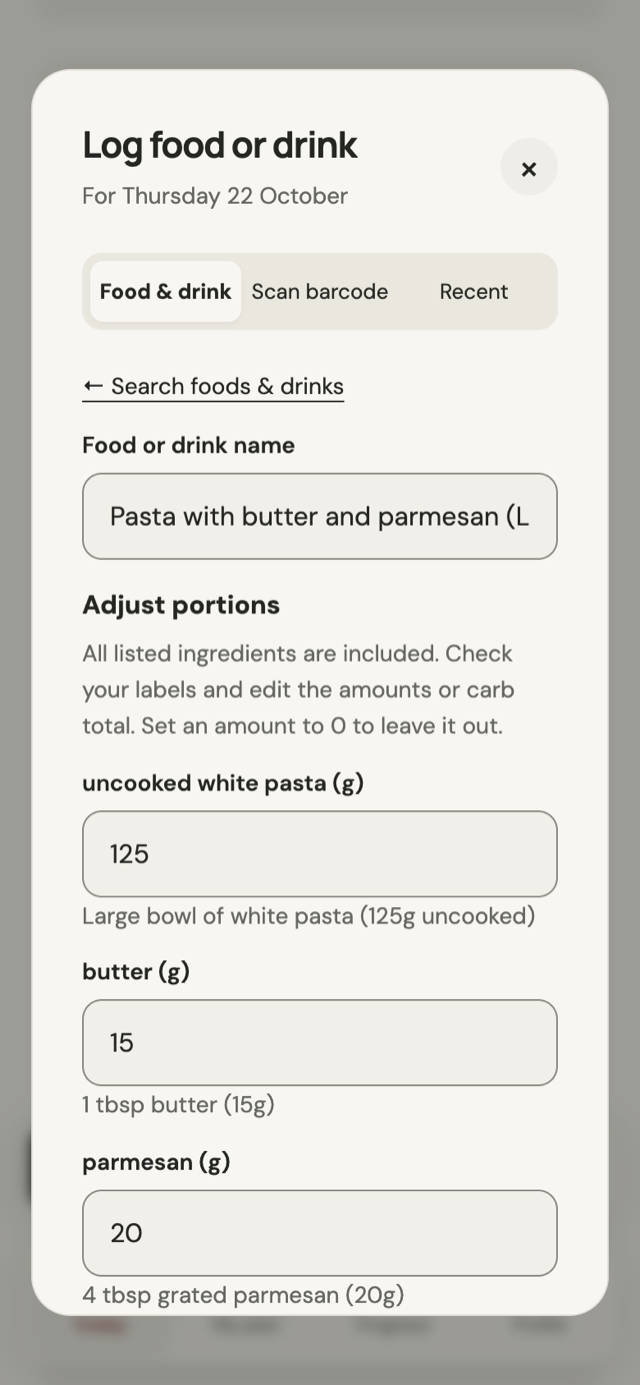
Review & log exposes each ingredient amount and recalculates the estimate as it changes. Runners can leave ingredients out or amend the total before saving. When a meal includes a separate drink, the diary keeps food and drink contributions distinct. Tips throughout the day add practical context, including preparation for race eve and race-day breakfast.
A daily meal breakdown
Build a shopping list
Review every ingredient
Making progress visible
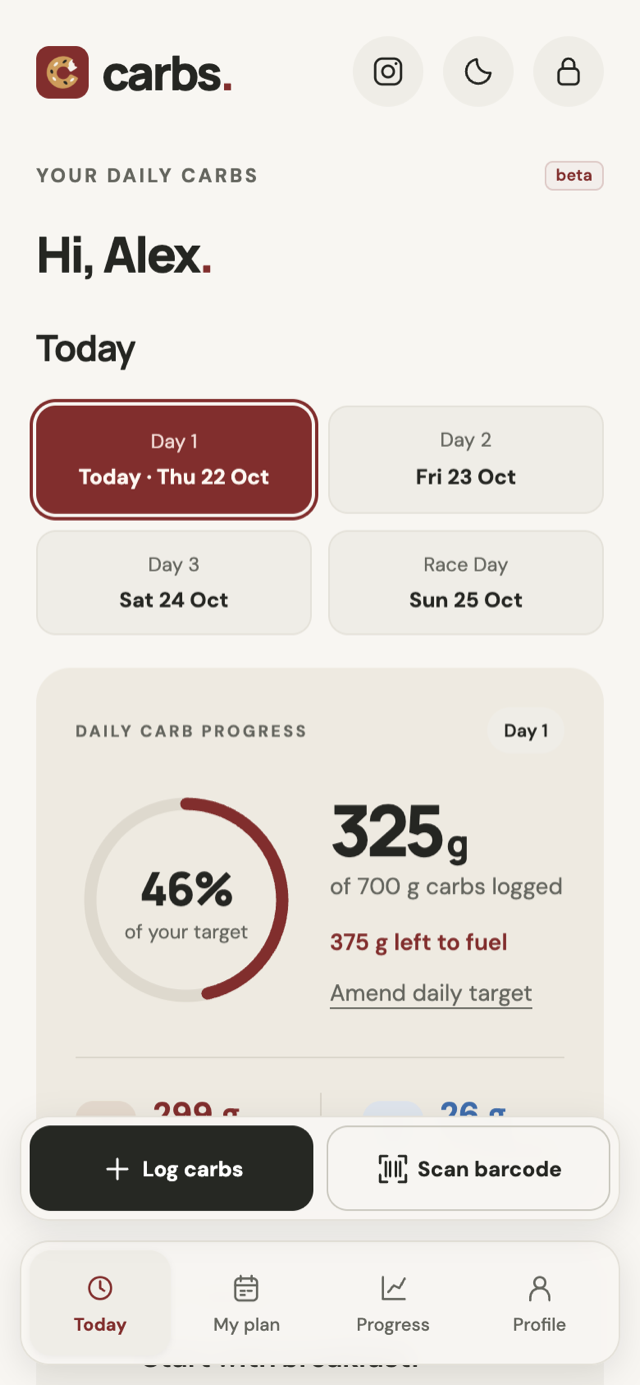
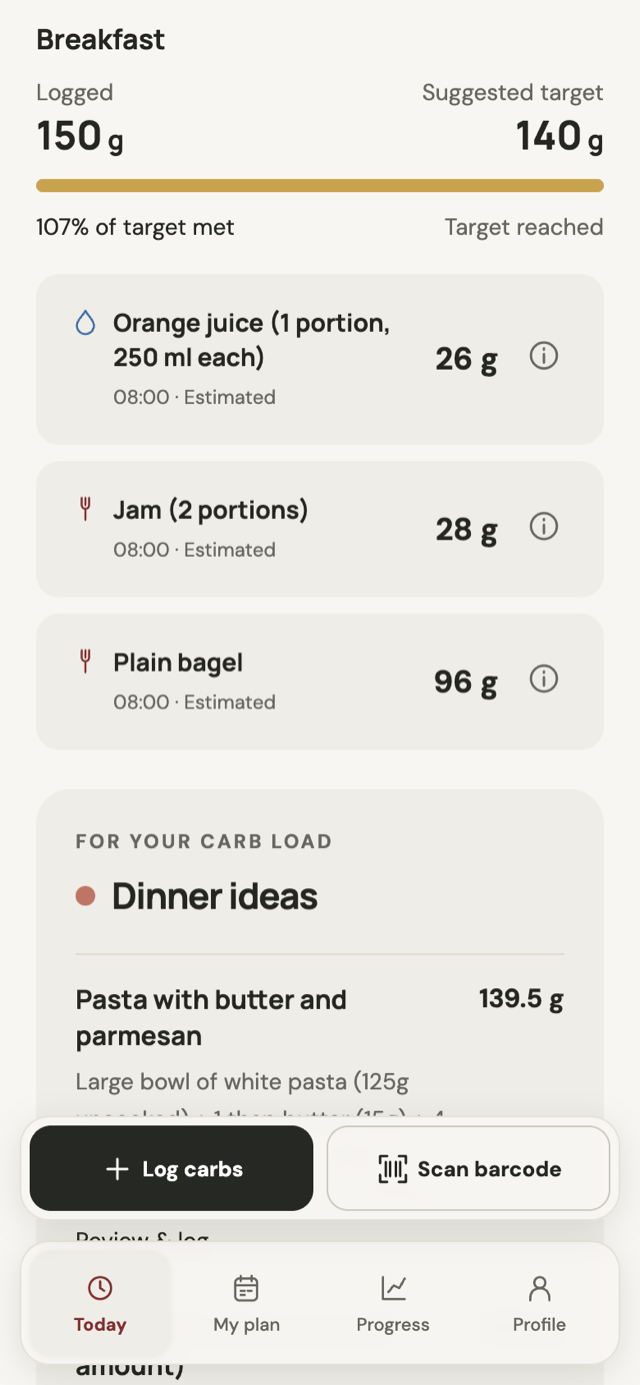
The Today screen gives the daily target a clear visual centre: a progress ring showing what has been logged and what remains.
Logging a meal updates the ring, connecting the action to its result. Food is grouped into breakfast, lunch, dinner and snacks, making the diary easier to scan than a single undifferentiated list.
The diary also shows progress against suggested meal amounts. These give the daily total a more manageable shape while keeping the overall target visible.
A small confetti moment marks crossing the target. It runs when the runner reaches that point, rather than every time a completed day is reopened, and respects reduced-motion preferences.
Daily progress
The food diary
Reducing the effort of logging
Logging needs to work with a nutrition label, a barcode or a practical estimate.
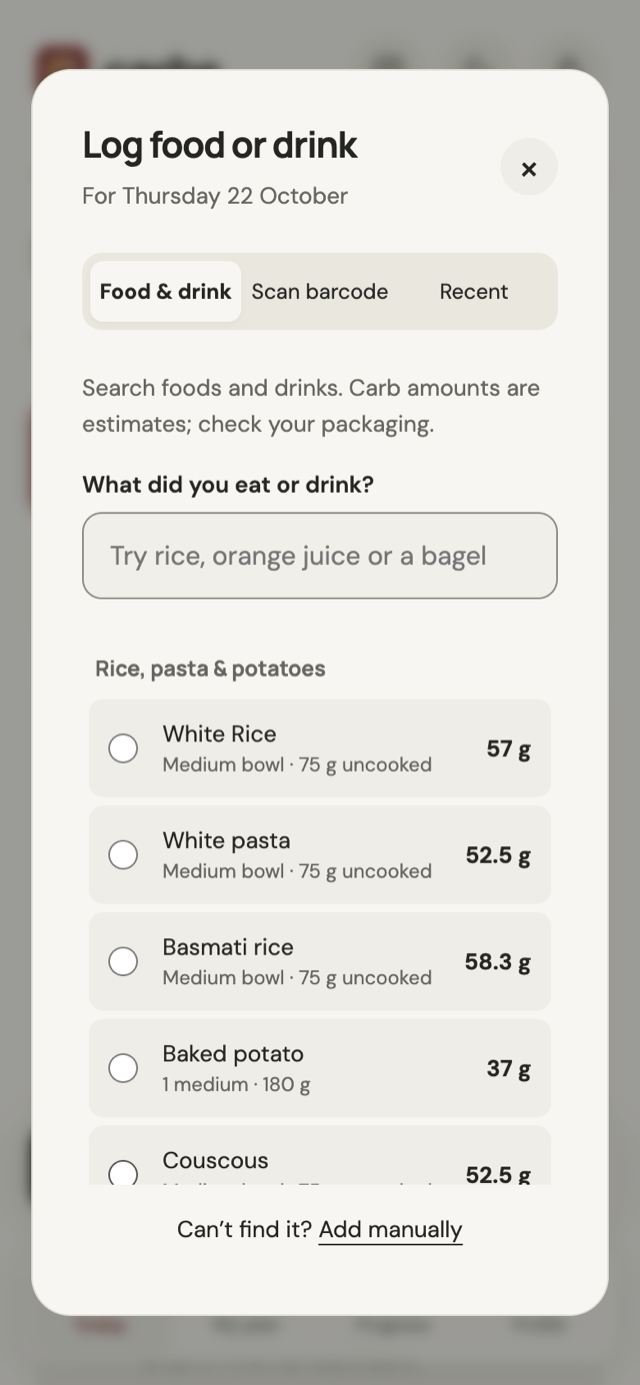
I brought those routes into a shared logging flow:
- Manual entry for a known amount.
- Food estimates with adjustable portions, weights or volumes, plus sourced estimates for 20 complete dishes.
- Meal descriptions with local matching and optional AI help, followed by review before saving.
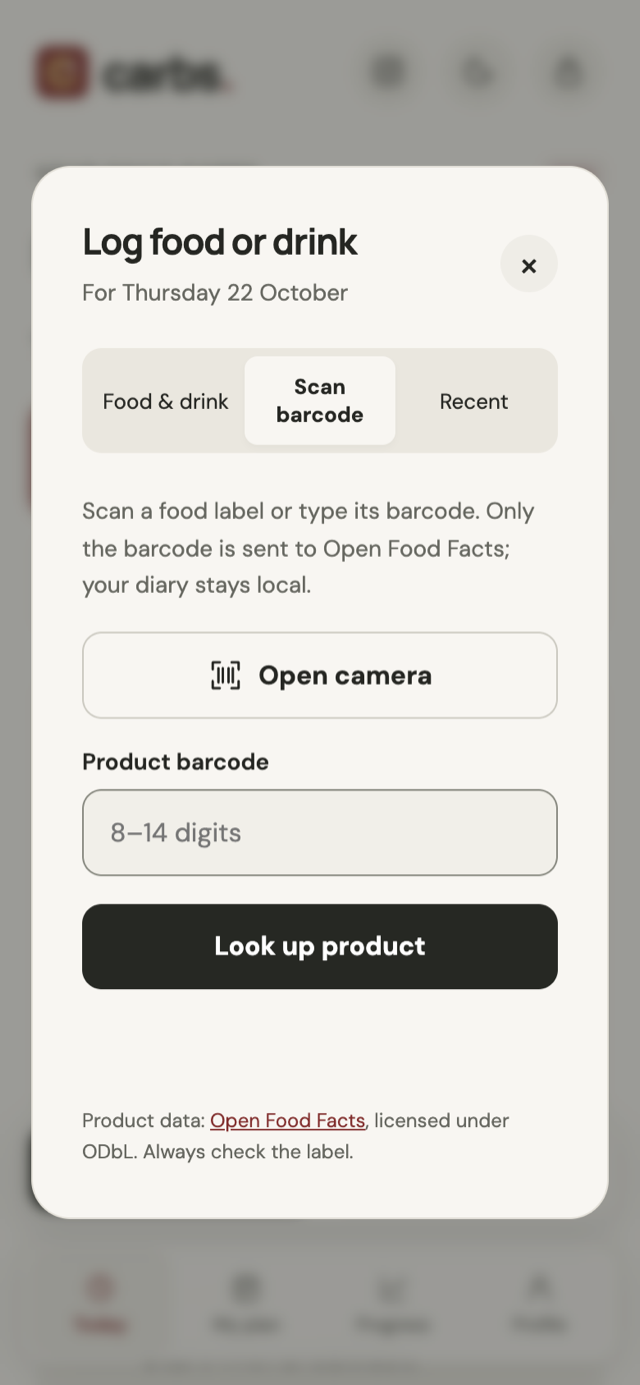
- Barcode lookup for packaged products, using Open Food Facts.
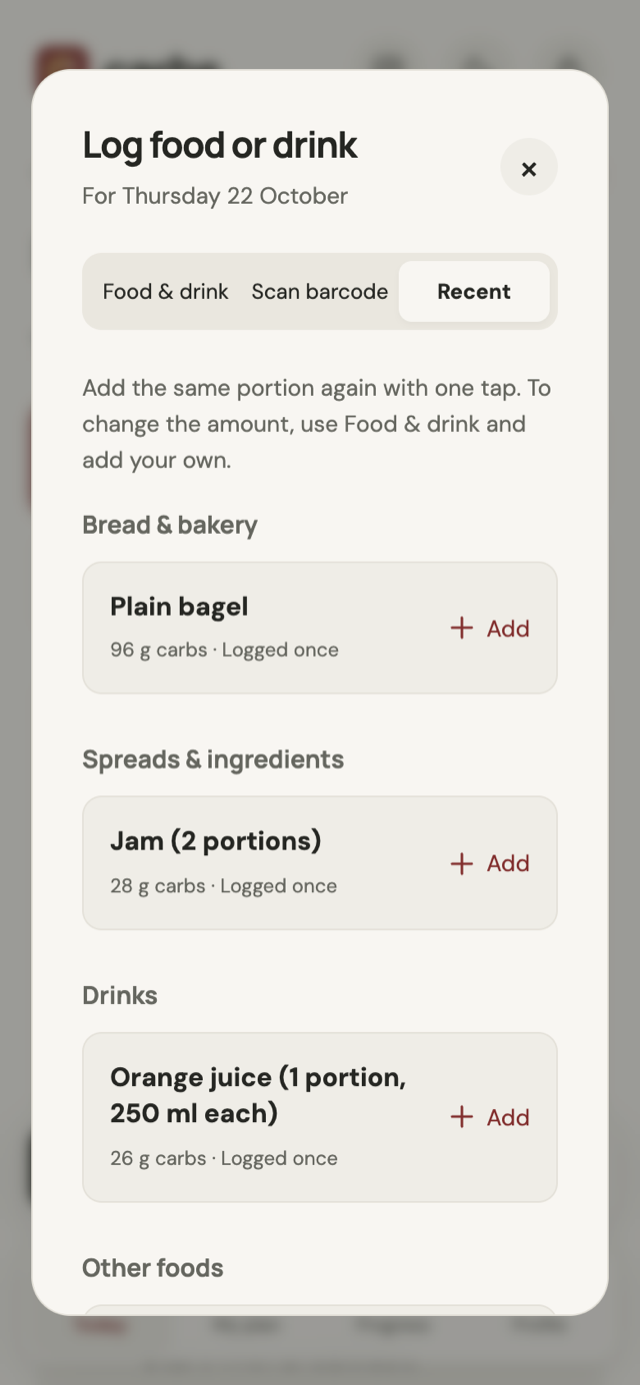
- Recent foods and repeat-entry controls to make familiar meals quicker to log again.
Every route produces a reviewable, editable diary entry. Estimates stay adjustable to reflect their uncertainty.
Find a food
Repeat a recent food
Look up a barcode (via Open Food Facts)
AI-assisted food logging
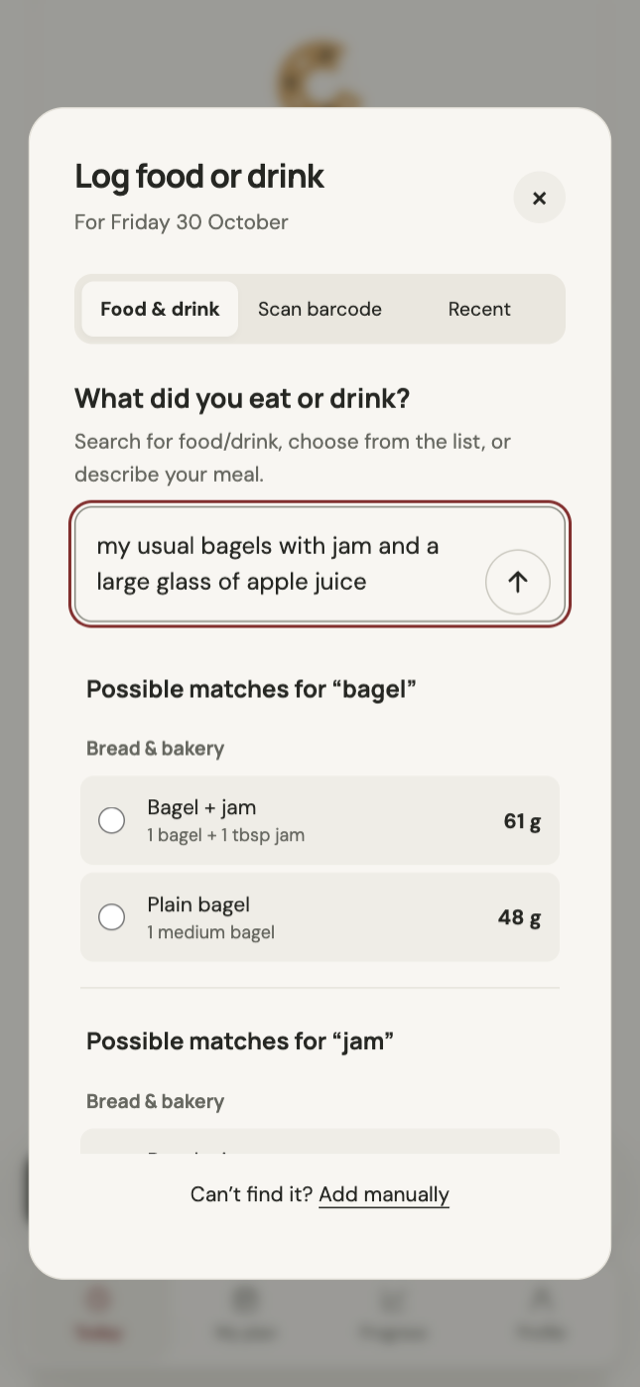
Optional meal descriptions let runners log several foods in everyday language, then review the foods and portions together.
The catalogue comes first. Familiar descriptions resolve locally. When local matching cannot understand the description, AI can identify foods, quantities and preparation details. Those items are matched back to the catalogue for their carbohydrate values. Interpreting a description and calculating nutrition are separate steps.
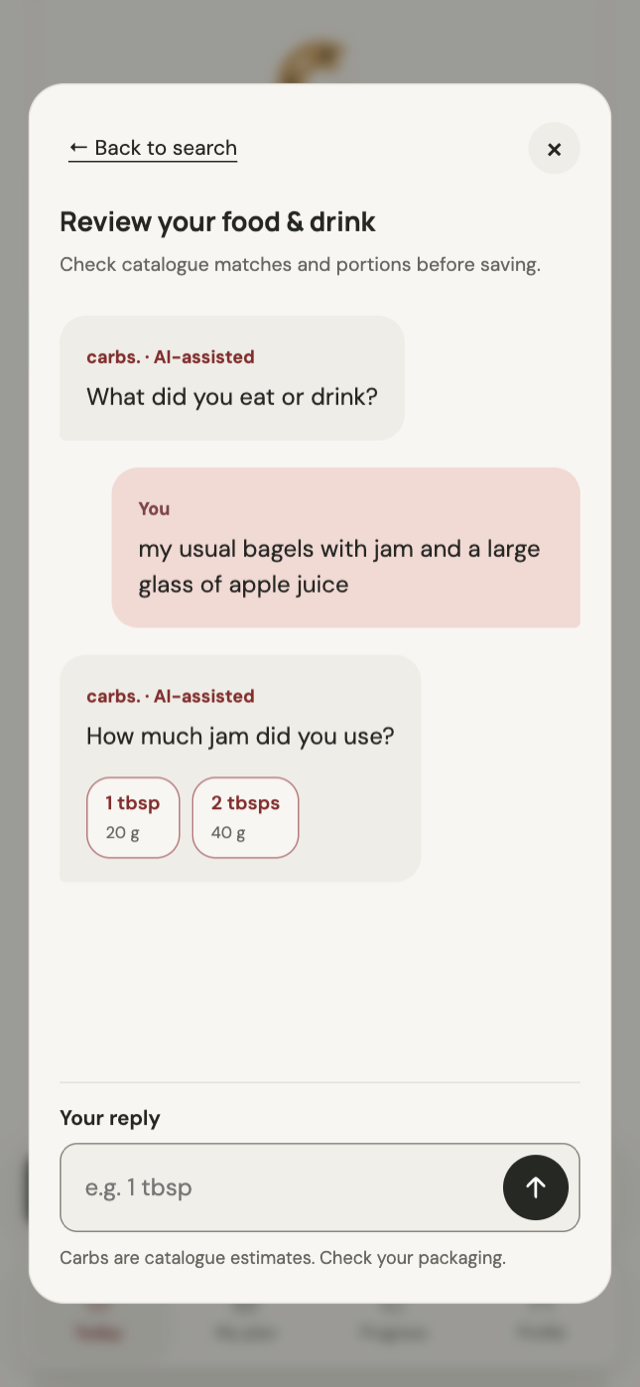
Missing details become questions rather than hidden assumptions. A description such as “my usual bagels with jam and a large glass of apple juice” can lead to a follow-up about the amount of jam. Ordinary portion replies are handled locally; another AI request is an explicit choice if a reply still needs interpretation.
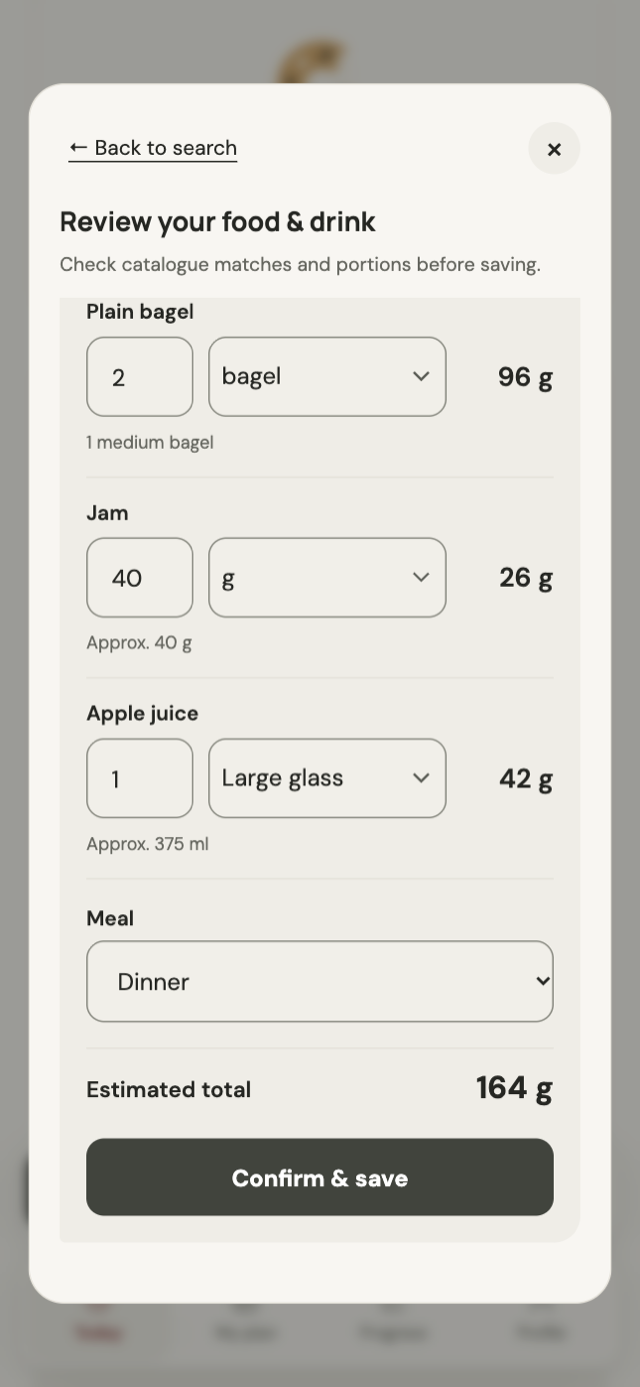
Runners review the result before saving. They can amend catalogue matches and portions, then check the total before Confirm & save. A separate “Estimate with AI” option for unmatched foods shows an approximate carb amount, its serving basis and assumptions. It remains editable and requires acceptance followed by final diary confirmation; saved entries retain an “AI estimate” label.
The feature is off by default in Profile. AI runs only on an explicit request, with “Checking your request…” and “Identifying foods…” making the wait understandable. Errors and cancellations keep the description available, and no unconfirmed entry is added to the diary. Search, barcode lookup and manual entry remain available.
Describe a meal
Clarify what is missing
Review before saving
Making portions understandable
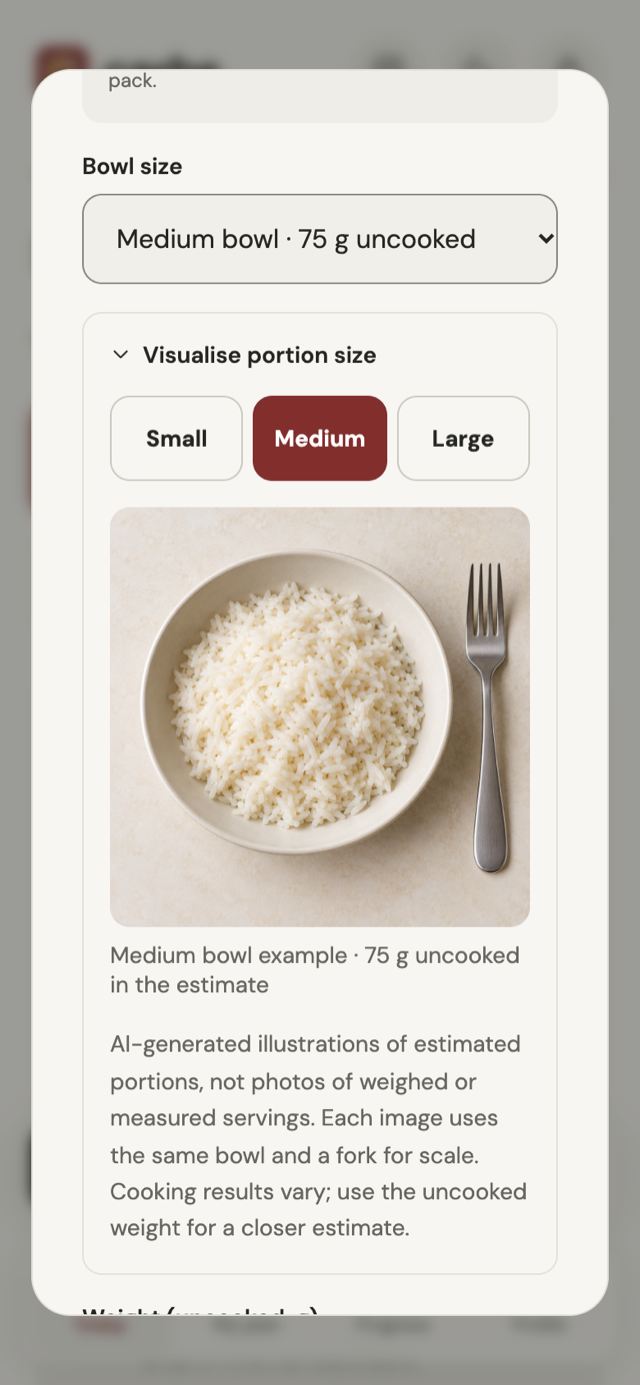
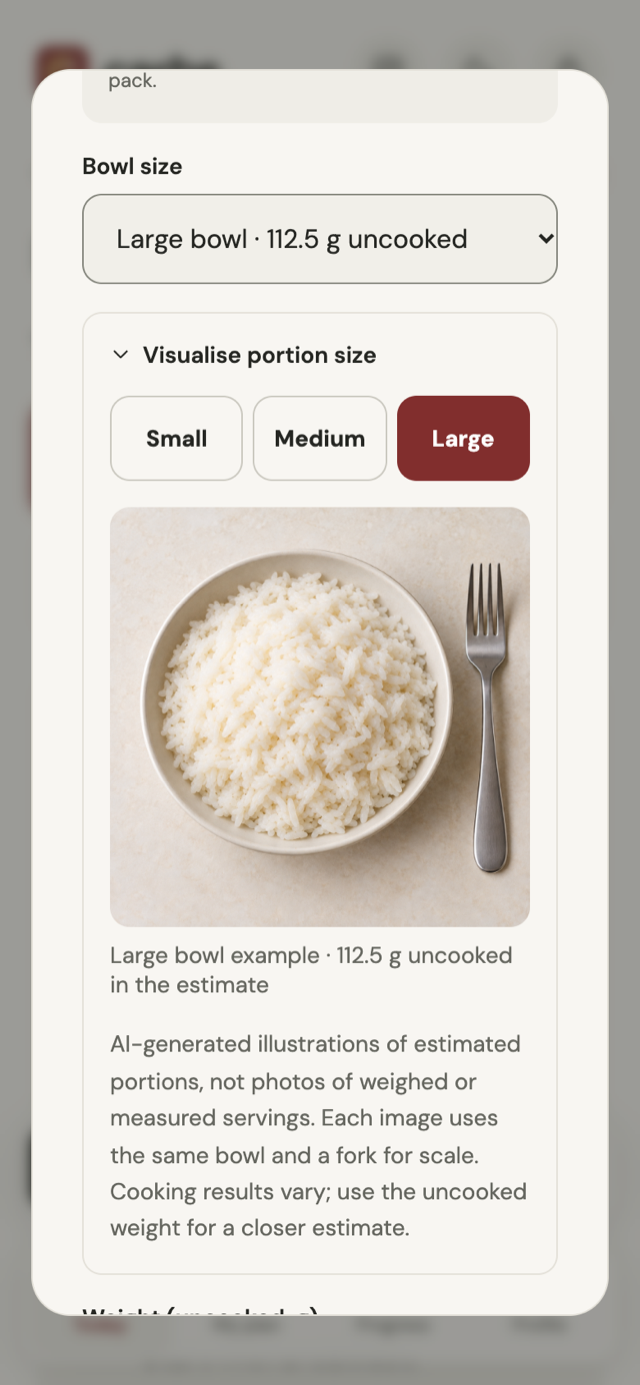
Visual guides make portion labels such as “medium” more useful for rice, pasta, couscous, porridge and drinks.
Small, medium and large options update the weight or volume and the carbohydrate estimate together. Custom quantities remain available, and the guide opens only when it is needed.
The wording matters as much as the image. Dry and cooked weights are different, and preparation changes what a portion represents. The app labels that basis and saves it with new estimate entries.
The current guides are AI-generated illustrations, not photographs of weighed servings. They are labelled in the interface; weighed reference photography is a proposed improvement.
A medium portion
Adjust the portion
From one race to the next
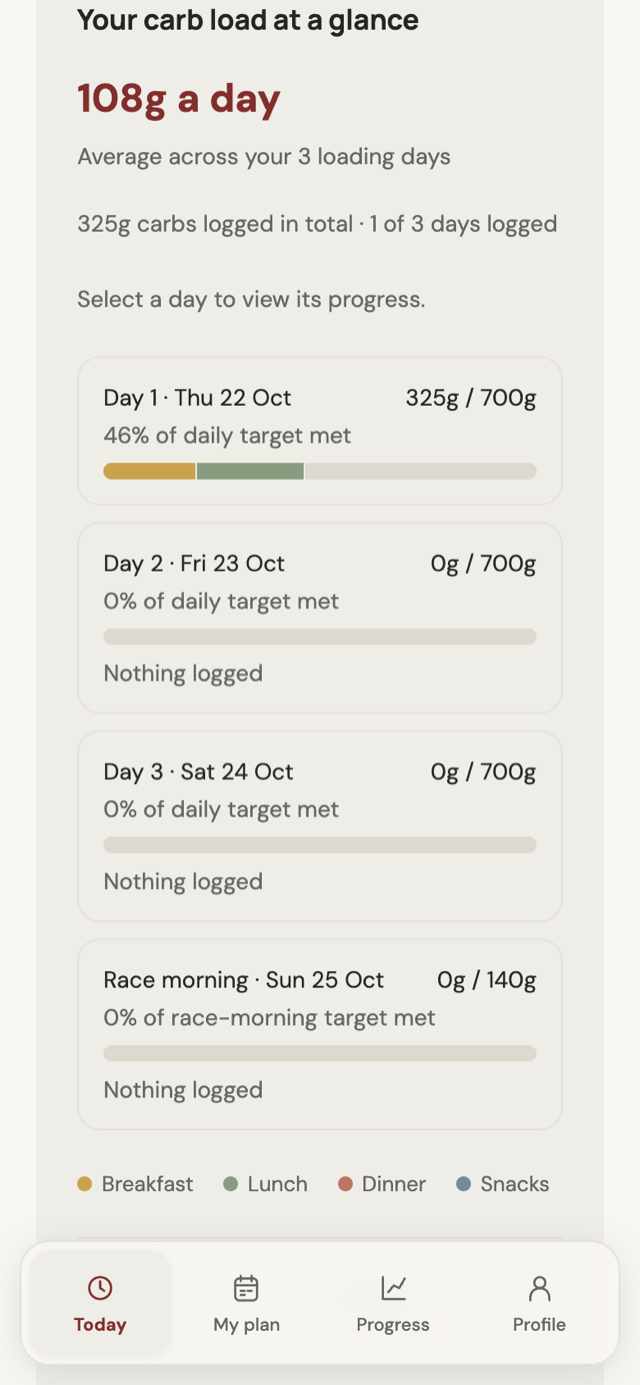
The experience now continues beyond race day. A completed-load recap brings together the carbohydrates logged during the loading window, the days represented and food highlights. Race-morning food is counted separately, so the summary preserves the distinction between loading and race-morning fuel. Runners can also leave themselves a note about what to repeat or change next time.
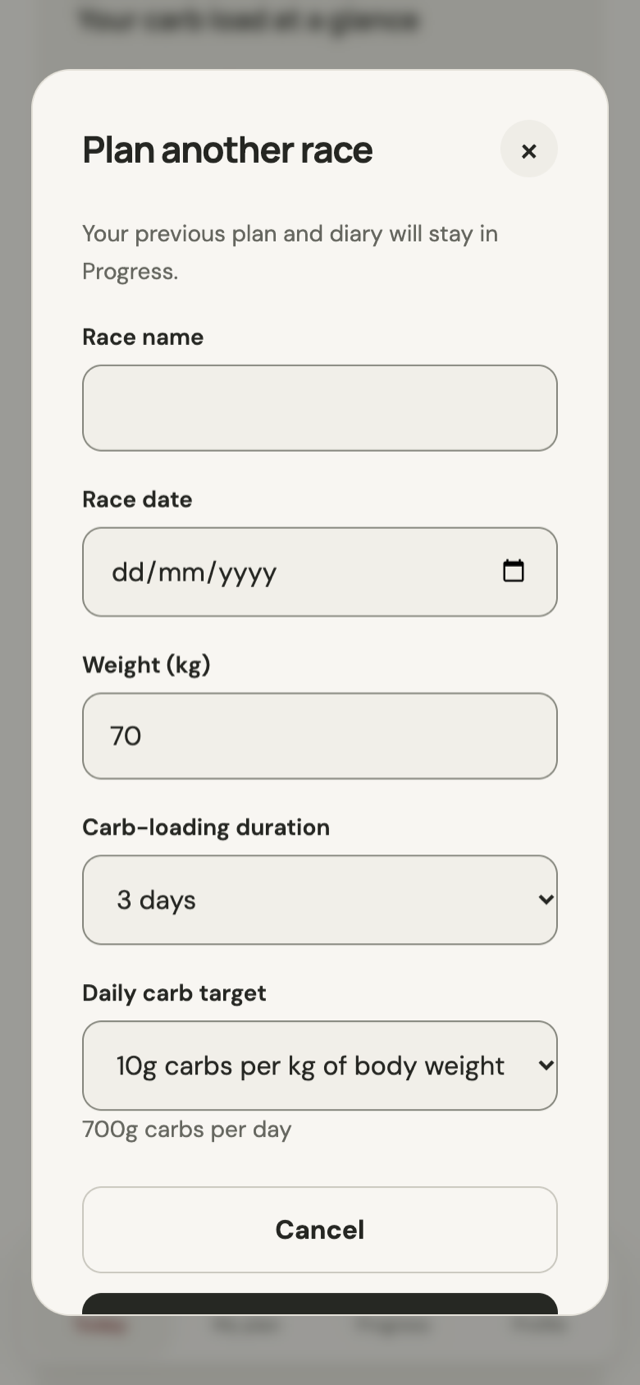
Runners can plan another race without losing the previous one. Starting a new plan archives the earlier race, its targets and shopping list. Progress includes a race selector to revisit previous plans, daily records and recaps, while recent foods remain available for the next load.
Records stay in the browser, and exports include both the current plan and previous races.
Review the completed load
Plan another race
Keeping the first version focused
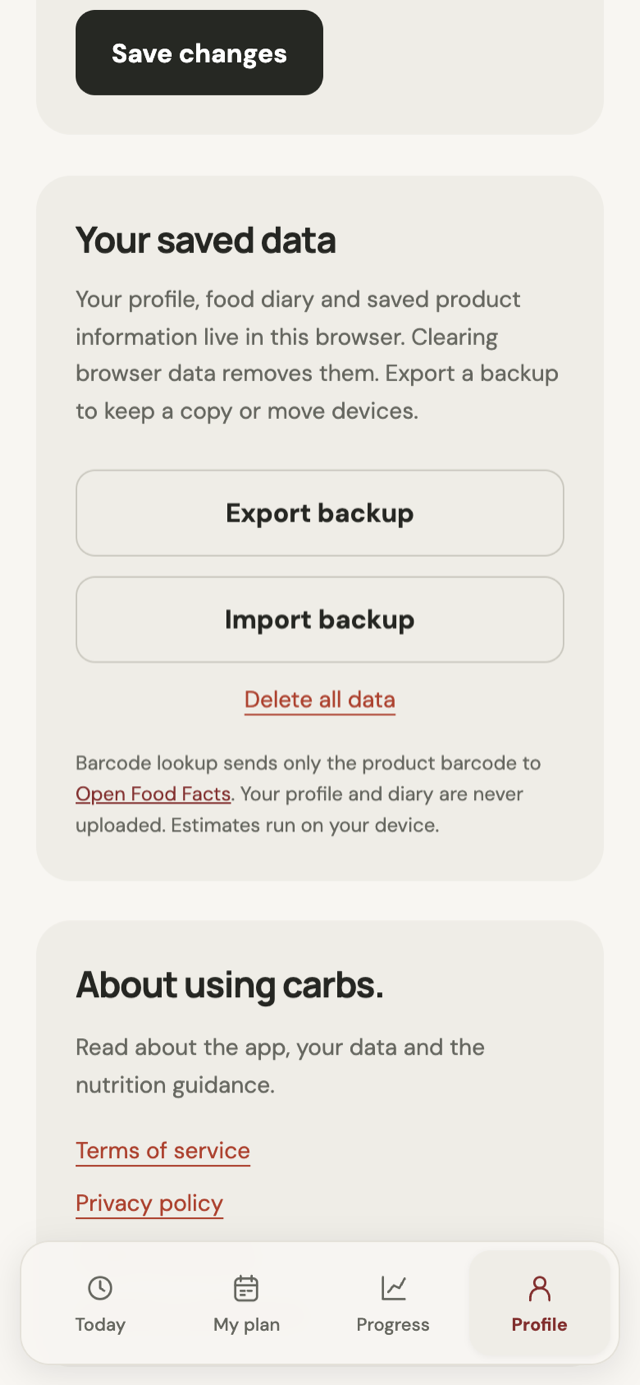
The beta keeps planning and diary storage in the browser, with no account required. Profiles, food logs and saved product information stay on the device. Optional AI interpretation uses a separate serverless service rather than moving the diary into a cloud account.
That keeps setup short, but creates a real limitation: the diary does not automatically follow someone to another device, and clearing browser data removes it. I made the storage model visible and included export and import so runners can keep a backup or transfer their records.
External requests are explicit. Barcode lookup sends a product barcode to Open Food Facts. Choosing AI interpretation sends the food description and relevant clarification answers to Cloudflare for processing; the full profile and diary are not sent. The interface explains that choice, and runners can keep using local search and manual entry.
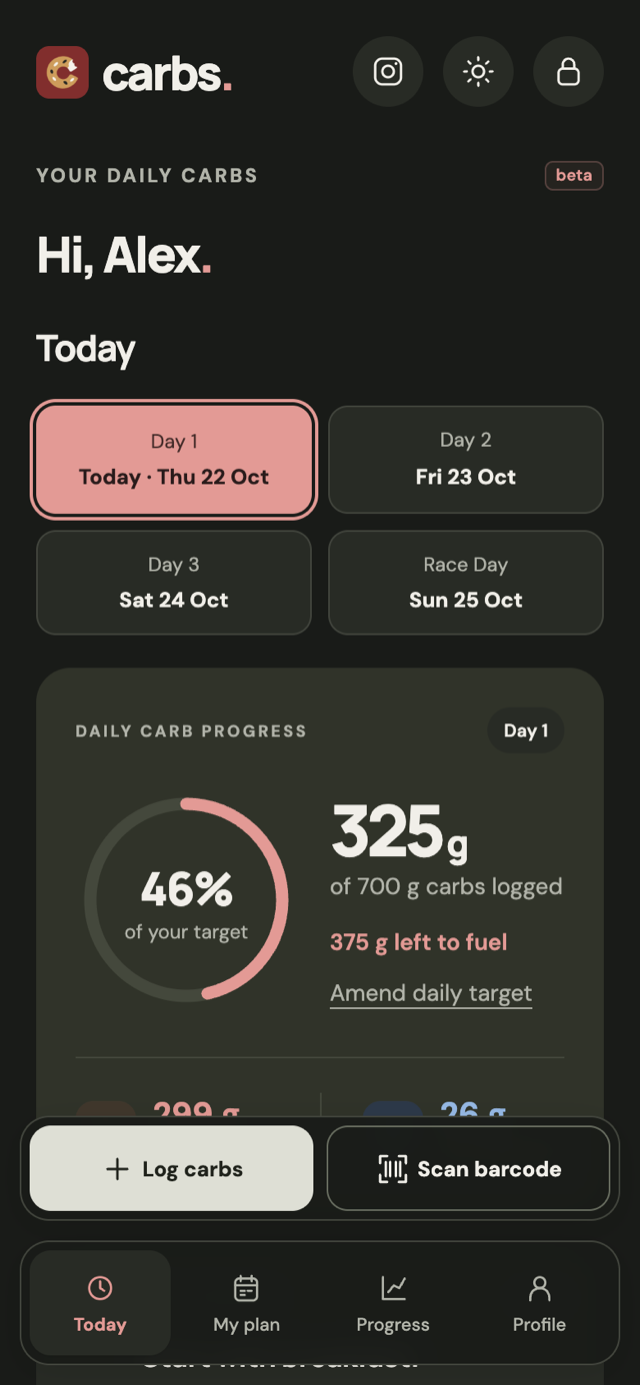
The product supports light and dark modes and an iOS Home Screen installation prompt. A notice in supported in-app browsers explains that storage can be separate from the runner’s usual browser. It remains a web app, with no offline caching in the current version.
Optional analytics asks for consent and records a limited set of events to help understand onboarding and logging. Race details, body weight and diary contents are excluded from those events. Runners can revisit their choice in Profile.
Local storage
Light/Dark mode
Designing for changes and mistakes
A diary needs to preserve the meaning of what has already been recorded. When a runner changes their plan, logged days keep their saved targets; changes apply to days they have not logged yet.
Future dates are read-only, while existing entries can be amended. Confirmation dialogs protect unsaved changes, deletions and imports.
If a storage write fails, the app retains the form and rolls back the unsaved change. Backup imports are validated before replacing current records, and unreadable browser data opens a recovery flow. This is less visible than the progress ring, but just as important: an interface should not imply that a meal has been saved when it has not.
Keyboard reviews and automated accessibility checks informed improvements to focus handling, text contrast, form controls and mobile navigation. Those checks help refine the experience; full accessibility conformance still needs manual assistive-technology testing.
The result and next steps
The beta connects race planning, meal ideas, shopping, food logging and progress, with optional AI assistance. Runners can prepare for a race, review their load and plan the next one.
Try the free beta at carbs.run.
Multiple races and race history are now built. Accounts, cloud storage and a possible one-off Race Pass remain proposed directions rather than current features.
Next, I want to understand whether meal ideas simplify preparation, AI descriptions reduce logging effort and runners return for another race. Direct feedback and consent-based analytics will inform those decisions.
The product hypothesis is that practical planning and logging help runners follow through on their target.
The roadmap
The roadmap focuses on easier preparation, reliable records and testing demand for paid race tracking. Some improvements can progress independently.
Sharing, reminders and native apps are proposed opportunities. They need validation alongside feedback from runners, rather than a fixed release date.
Keep a useful calculator free. Test paid race tracking with a one-off Race Pass.
- Available now
A working race routine
- Personalised plan, meal ideas and shopping list
- Food logging, optional AI interpretation and portion guides
- Completed-load recap and local race history
The starting pointFree beta, with records saved in the current browser.
- 01 · Proposed
Build confidence
- Photographs of weighed portions
- Sourced carb-loading articles
- Shareable completed-load cards
Can progress independentlyReference photography and reviewed content; sharing can run on-device.
- 02 · Proposed
Keep records across devices
- Account creation and login
- Cloud storage and sync
- Migration of existing browser records
The foundationDeliver identity and sync together, with recovery and clear save status.
- 03 · Proposed
Test a one-off Race Pass
- Keep a useful calculator free
- Paid tracking for one race
- Keep completed records readable
Depends onAccounts, a clear free/paid boundary and verified purchase access. Price is undecided.
- 04 · Proposed
Support follow-through
- Opt-in loading-start reminders
- Meal-logging notifications
- Evaluate social login after core needs
Delivery choiceWeb reminders need a scheduling service; native apps can support on-device reminders.
- 05 · Explore
Take carbs. to mobile stores
- Installable iOS and Android apps
- Reuse calculations and product patterns
- Choose the first platform using audience evidence
Decisions firstValidate architecture, device storage and store requirements before committing to delivery.
Proposed sequencing, not a committed release schedule. Multiple races and local history are already built; accounts, payments, notifications, recap sharing and native apps remain proposed. A subscription would need evidence of repeat use.